
Smarter Keywords Monitoring
for Real-Time Accuracy
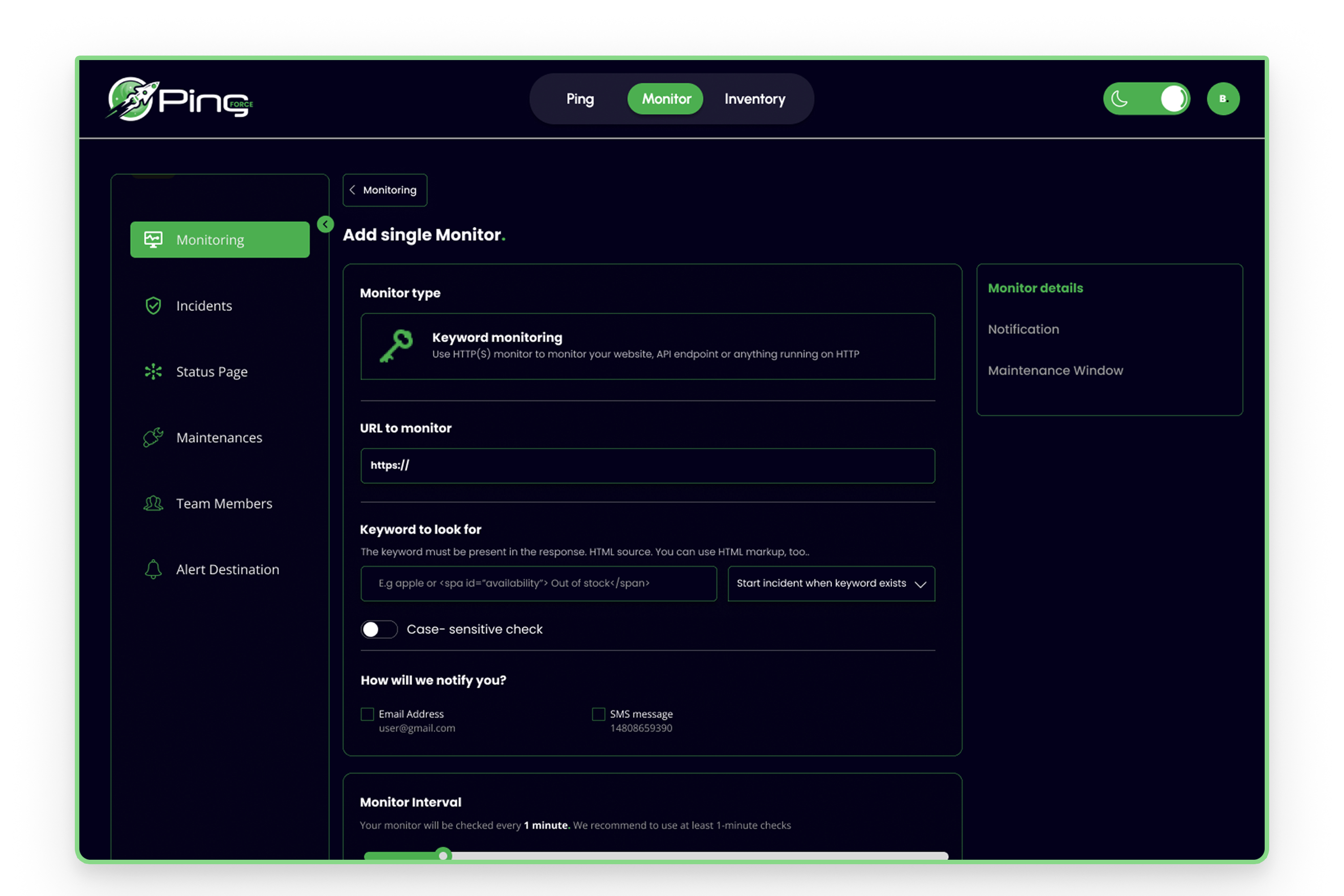
PingForce’s Keyword Monitoring goes beyond simple text checks. It ensures your critical pages respond with the exact words you expect—instantly, from multiple global locations. When keywords go missing, you’ll know before your customers do.
Multi-Location Keyword Validation
Check for your chosen keywords across PingForce’s distributed monitoring nodes — with precision-level keyword position monitor accuracy.
Custom Phrase Targeting
Set exact words or phrases to watch for—whether it’s “Payment Successful” or “System Online”—and get notified if they disappear.
Real-Time Alerts with Context
Instantly receive SMS or email alerts with full request and response details, helping you troubleshoot without guesswork.
Integrated with All Protocols
Combine keyword checks with HTTP, HTTPS, API, and port monitoring for complete service validation at every layer.
Performance Insight at a Glance
Not only see if your keyword is present, but track the response time it took to deliver it—perfect for performance-sensitive services.
Automated Incident History
Every keyword failure is timestamped, logged, and stored, letting you analyze trends and prove SLA compliance with ease.
90% of service disruptions are caught too late catch yours in seconds.
Stop finding out from your customers when something breaks. With PingForce Keywords Monitoring, you’ll know the moment critical text disappears, no matter where it happens.
Why PingForce Keywords Monitoring Leaves Others Behind
This isn’t just keyword checking — it’s Keyword Monitoring combined with monitoring keyword ranking insights for business-critical text validation. With PingForce, you get context-rich alerts, unmatched flexibility, and a performance-driven design that other tools can’t replicate.
Built on a Global Testing Grid
Unlike static monitors, PingForce checks your keywords from a distributed network of monitoring nodes—covering broad regions with accuracy and reliability.
Keyword Checks at Protocol Depth
We don’t just scrape HTML. PingForce verifies keyword presence across HTTP, HTTPS, API endpoints, and even port responses, ensuring true service integrity.
Reward-Based Expansion
Add your own community servers and unlock more monitoring capacity without paying extra—turning your contribution into instant operational scale.
Real-Time Visual Feedback
See your keyword monitoring status in a live, color-coded inventory grid that updates the moment results change—zero delay, full clarity.
Intelligent Failure Context
Every failed keyword check comes with the exact server response, request data, and region, so you know what broke, where, and why.
Uptime Integration Without Extra Setup
Seamlessly tie keyword monitoring into your existing uptime checks, status pages, and incident logs—no separate tools, no duplicate work.
What People Say About PingForce?
Outstanding Support
PingForce saved us from a major outage when a keyword disappeared from our payment page. We fixed it before any customer even noticed
Outstanding Support
We used to spend hours finding why things broke. Now we know the exact problem in minutes, thanks to their keyword alerts.
Outstanding Support
Our last tool missed small text changes that cost us leads. PingForce catches everything, no matter how small.
Frequently Asked Questions (FAQs)
It’s a real-time monitoring feature that scans your websites, APIs, or services for specific words or phrases you define. If the keyword is missing or altered, PingForce alerts you instantly so you can fix issues before users notice.
Most tools just look at page text from one source. PingForce verifies keywords through its distributed monitoring nodes, across multiple protocols, and even inside private networks—giving unmatched visibility into both performance and accuracy.
Yes. By adding a private server to PingForce, you can run keyword checks on internal dashboards, intranet sites, or staging environments without exposing them to the public internet.
Premium+ monitors check every 60 seconds, sending alerts as soon as a keyword is missing. This allows you to react before small issues become outages, reducing downtime impact.
Absolutely. You can target keywords in API responses, ensuring that your backend systems are returning correct data, not just an “up” status. This is vital for service reliability.
PingForce pinpoints the exact region, ISP, and server where the failure occurs. This helps you address region-specific issues like CDN errors or geo-based outages.
Yes. Every failure is logged with a timestamp, full server response, and location data, so you can identify recurring patterns and back your SLA reports with real evidence.
No. Keyword checks integrate directly into your existing PingForce monitors. You just add the keyword rule, and the system starts tracking without extra scripts or plugins.
Not if you set precise match conditions. You control exactly what text or phrase must be present, minimizing false positives from unrelated page updates.
Yes. By donating community servers, you unlock extra monitoring slots at no extra charge, letting you expand coverage without increasing costs.